How can my patients create a review?
By Guillermo1 min read
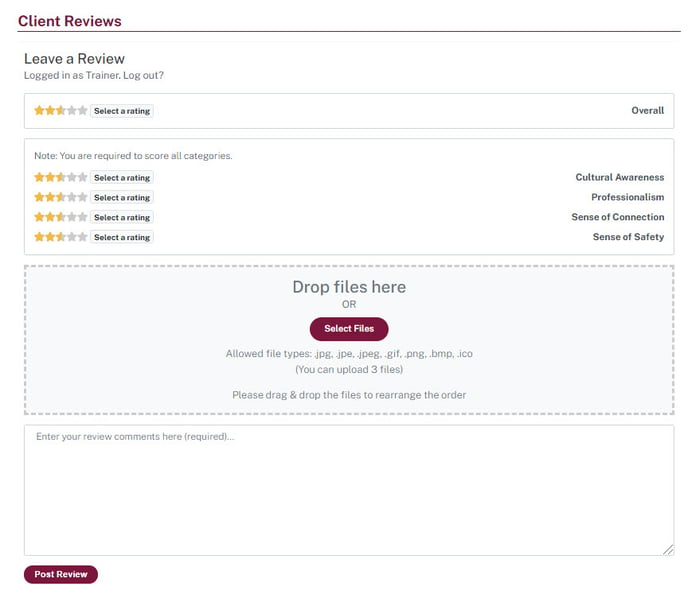
Go to the practitioner profile and click on the write a review box and follow further instructions. 3. Fill out the appropriate fields 4. Finally, click Post Review
Go to the practitioner profile and click on the write a review box and follow further instructions.
- Go to the practitioner profile
- Click on the box Write Review, a review window will popup

3. Fill out the appropriate fields
4. Finally, click Post Review